

Talking AI avatar for your website or app
A voice assistant with no face is a button and a sound wave, and a realistic video avatar streams video to every visitor, which adds cost and needs a fast connection. For product teams and agencies who want a voice agent people can see. Every Wixzel Voice agent has a mascot: an animated character, one shape and colour with two eyes, that lip-syncs to the agent's voice, leans in while the user talks and plays expressions. It is drawn on the device rather than streamed as video, so there is no fee for the avatar and it runs smoothly on a phone. Put it on a website with one script tag, share it as a link, or draw it in your own app with the npm package or the Flutter package. Calls are billed per second from prepaid credit, like a call on the same engine.
Last updated
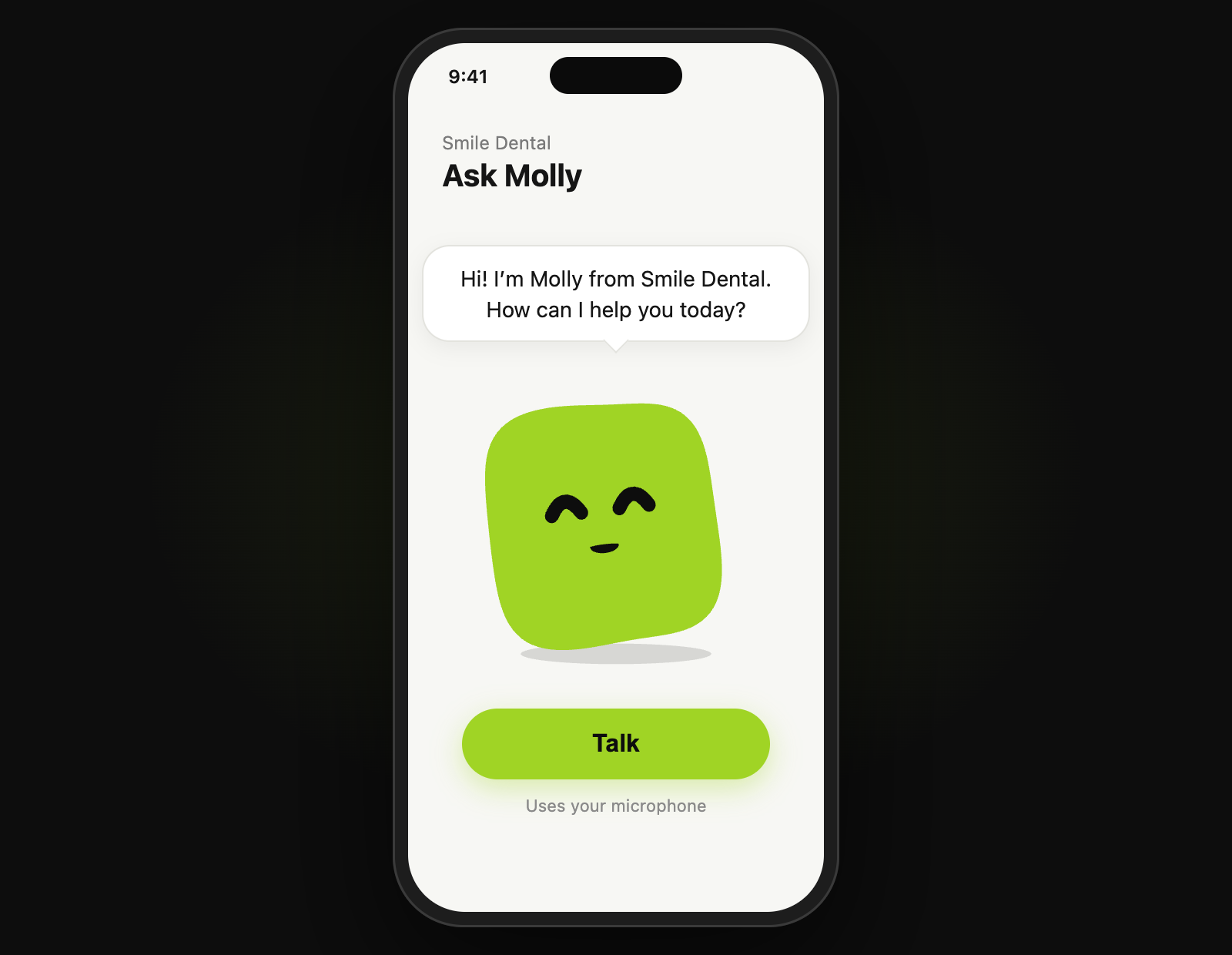
How do you build a voice agent with a talking avatar with Wixzel Voice?
- 01GET /v1/agents/{id}
Every agent has a mascot in its mascot field, starting with the default green one. POST /v1/agents/generate makes an agent from your website and draws its mascot in your brand colour.
- 02PATCH /v1/agents/{id}/mascot
Change the look: a shape (circle, drop, squircle, blob, heart and more), a colour, the eye style and a personality. POST /v1/agents/{id}/mascot/generate draws a new one from a website or a description.
- 03<script src="https://voice.wixzel.com/embed.js" data-mascot="m_…" async>
The avatar in the corner of your website. Visitors tap Call and talk in the browser. It runs only on the sites you list, within the daily caps you set.
- 04import { mountMascot } from 'wixzel-voice/mascot'
Draw the avatar in your own web page or app with the npm package, wixzel-voice, and connect it to a realtime session so it lip-syncs to the agent.
- 05AgentMascotView, MascotRealtimeLink
The same avatar in a Flutter app, from the wixzel_voice_flutter package on pub.dev. Its eyes follow the tilt of the phone.
Which voice engine fits a talking AI avatar?
Use the gemini-live engine on Wixzel Voice, at $0.0491 per connected minute. The avatar moves its mouth to the audio the agent speaks, so it works with every engine. gemini-live is the cheapest and replies quickly; use sarvam when people speak Hindi, Tamil, Malayalam or another Indian language.
What does a talking AI avatar cost on Wixzel Voice?
Wixzel Voice engine time for 3-minute sessions on the gemini-live engine, at typical speech rates, billed per second of actual usage. There is no telephony cost, because there is no phone line, so shorter sessions cost proportionally less.
| Sessions per month | Connected minutes | Engine cost per month |
|---|---|---|
| 300 | 900 | $44.19 |
| 1,500 | 4,500 | $221 |
| 6,000 | 18,000 | $884 |
Prepaid: add credit from $5 and the sessions spend it. Estimate your own mix.
Which guides show how to build a voice agent with a talking avatar on Wixzel Voice?
Frequently asked questions
Can a Wixzel Voice voice agent have a talking avatar?
Is it a realistic human avatar?
Does the avatar cost extra?
How does the lip-sync work?
Which voice engines can the avatar use?
Can I design my own avatar?
Does it work on phones?
What else do developers build on Wixzel Voice?
Build an agent that answers the phone, checks availability and books an appointment, over your own SIP trunk, with the booking written back through the API.
Upload leads, start a campaign, and have an agent call each one over your own SIP trunk and ask your qualifying questions. Every call is a record with its status and transcript, linked to the lead.
Answer a support number with an agent that reads from a knowledge base you upload, handles the common questions, and leaves a transcript of every call.
Run phone agents in Indian languages on models built for them, with the sarvam engine covering speech-to-text, the language model and text-to-speech end to end.
Put an agent in a browser page, a Flutter app or a kiosk with no SIP trunk and no phone number: your server mints a one-minute session, the app streams audio over a WebSocket, and the session is billed like a call.
Put a talking AI assistant on your website with one script tag: an agent made from your site, with an animated mascot visitors call from the browser, caller details, who-can-call settings and daily caps.
Connect Claude Code, Codex, Cursor or any MCP client to your account, and let an AI agent connect a carrier, build a voice agent, place calls, run campaigns and read transcripts, with every tool that spends money asking first.
Run AI phone calls for a few cents a minute: per-second billing from prepaid credit, no subscription or minimum, your own SIP trunk with no telephony markup, and every charge itemised.
Operator, prices, limits, refunds and data location, on one page.
Build your first voice agent